Official (WhatsApp)
Quick Overview
This function links the web application to one or more WhatsApp accounts. The platform is designed to work with both WhatsApp Web and WhatsApp Business APIs. Please contact us should you need more information on the different systems available in the WhatsApp ecosystem.
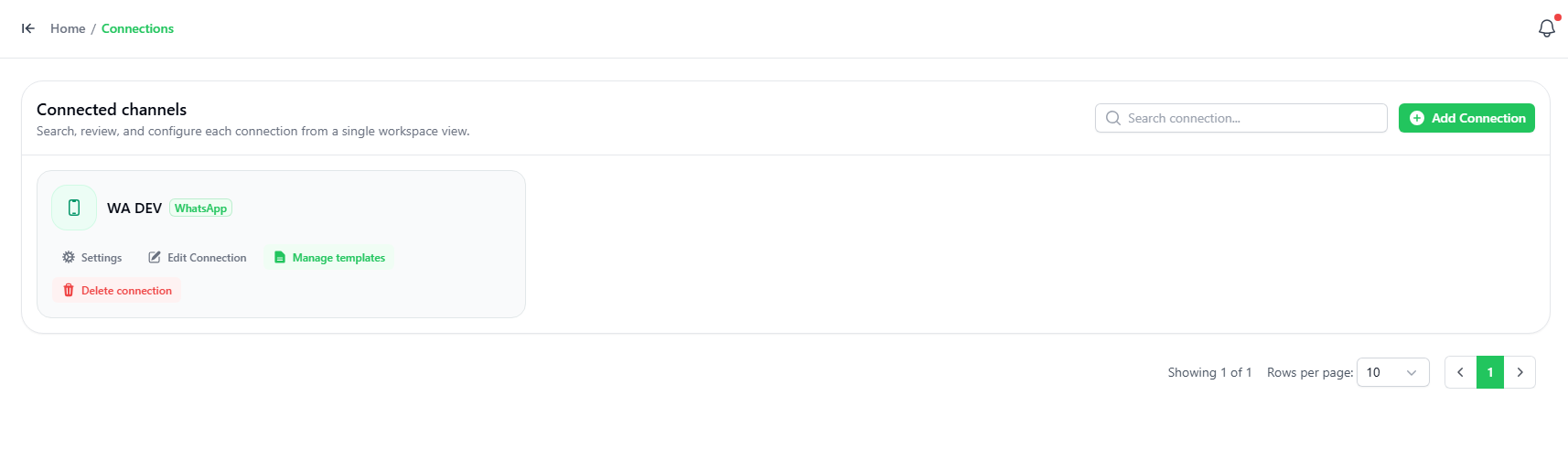
Adding an Official Connection
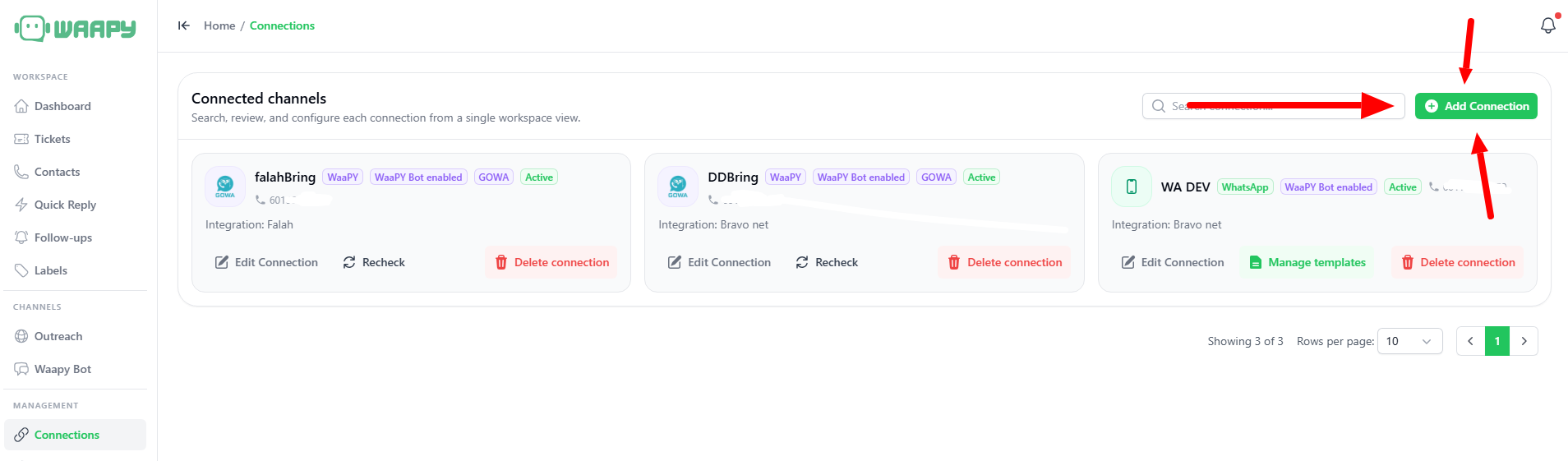
To add a connection, click the ADD Connection button on the top right-hand corner. Choose whether you want a manual WhatsApp connection or a META Official Connection.
Video Guide
If you are setting up a manual Meta Connection, you can follow the video above starting from minute 1:12.
Setup Guide
Follow these steps to connect your Official Meta WhatsApp account:
Step 1: Open Waapy
Go to Connection → Add Connection.
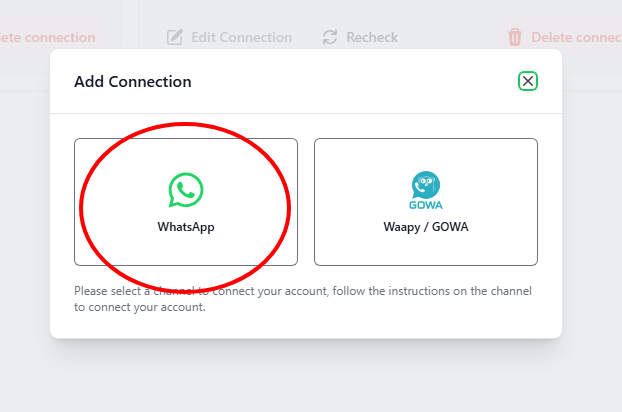
Select WhatsApp.
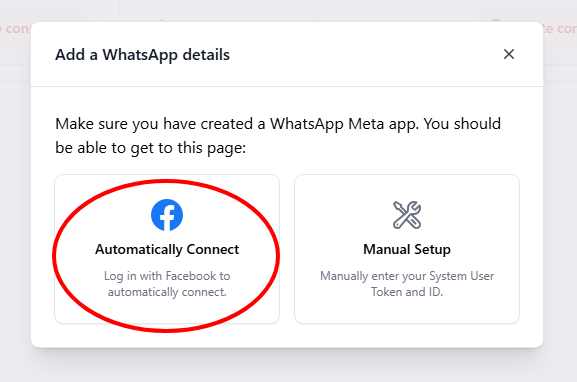
Step 2: Connect Automatically
Click automatically connect.
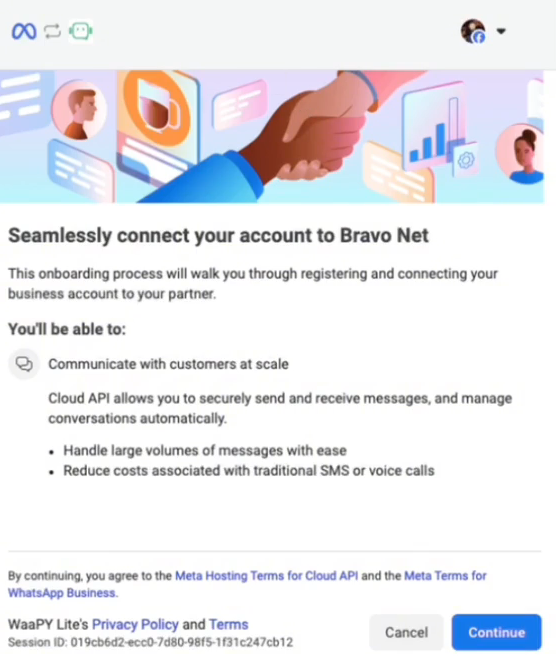
Step 3: Continue
Your Business will pop up here. Click continue.
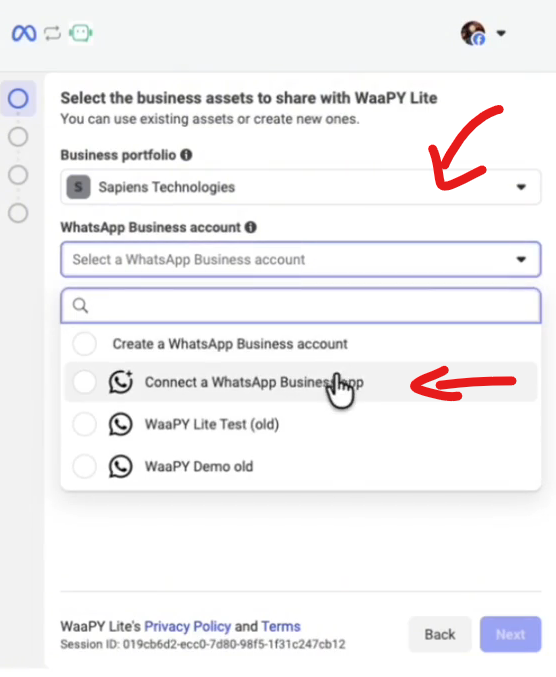
Step 4: WhatsApp Connection
- Select your business under Business Portfolio.
- Click on WhatsApp Business Account.
- Click Connect a WhatsApp Business App.
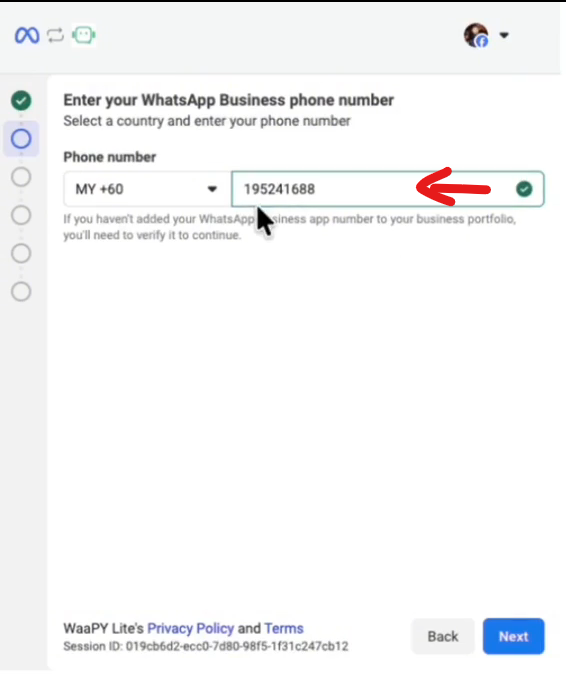
Step 5: Phone Number
- Key in your business phone number.
- Click Next, and a QR code should appear.
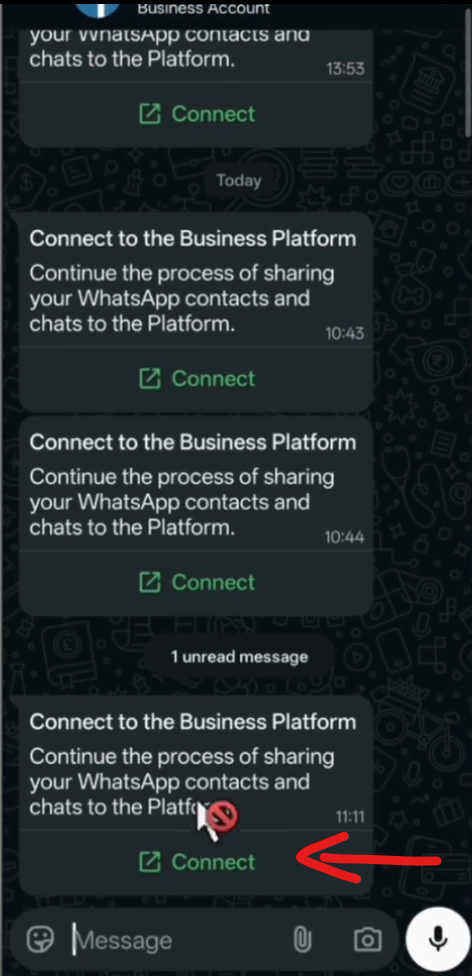
Step 6: WhatsApp App
- Click The Facebook Business Chat.
- Click Connect.
- Scan the QR code.
- Click Select ALL Chats.
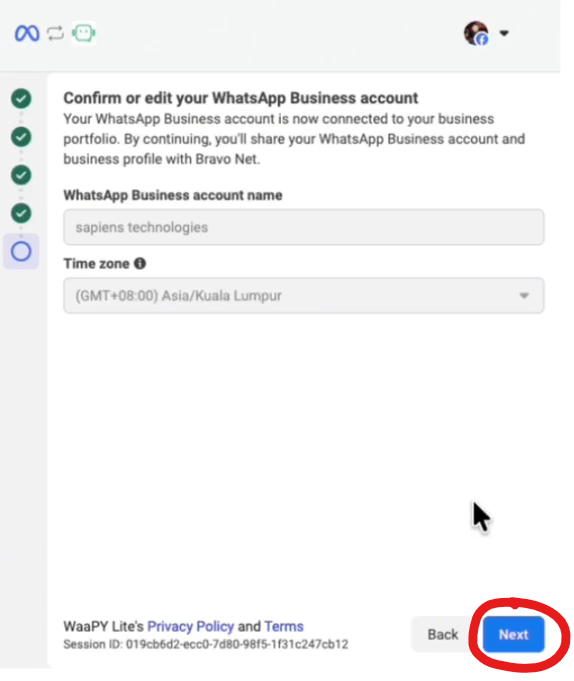
Step 7: Confirm Details
- Check your business details and time, click NEXT.
- Check your business info, etc, click NEXT.
- Click NEXT until you are successfully Connected.
Step 8: Payment & Finish
- You can optionally add a payment method for your official connection.
- If you have added the payment method, just click on finish.
- Wait until the WaaPY page refreshes itself.
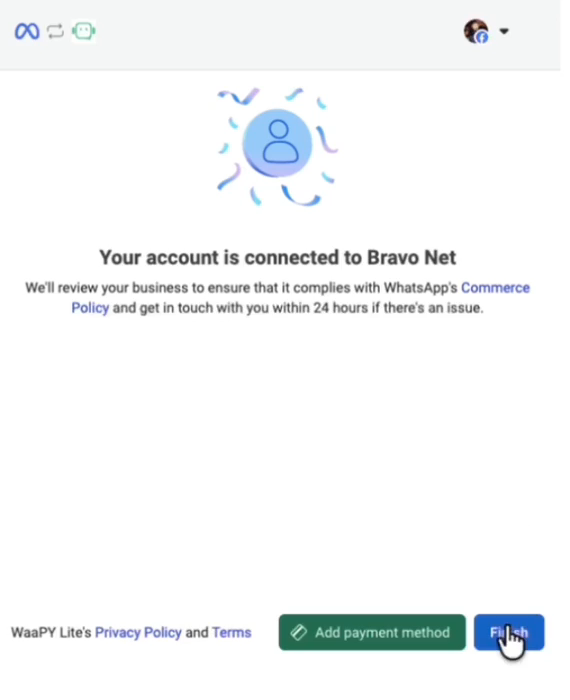
- Then wait for WaaPY Lite to refresh itself.
- Done.