Telegram
This guide walks you through connecting your Telegram bot to WaaPY Lite. You can either connect directly through WaaPY or generate a Bot Token via BotFather.
- Direct Connect
- BotFather Setup
Step 1: Add a New Connection
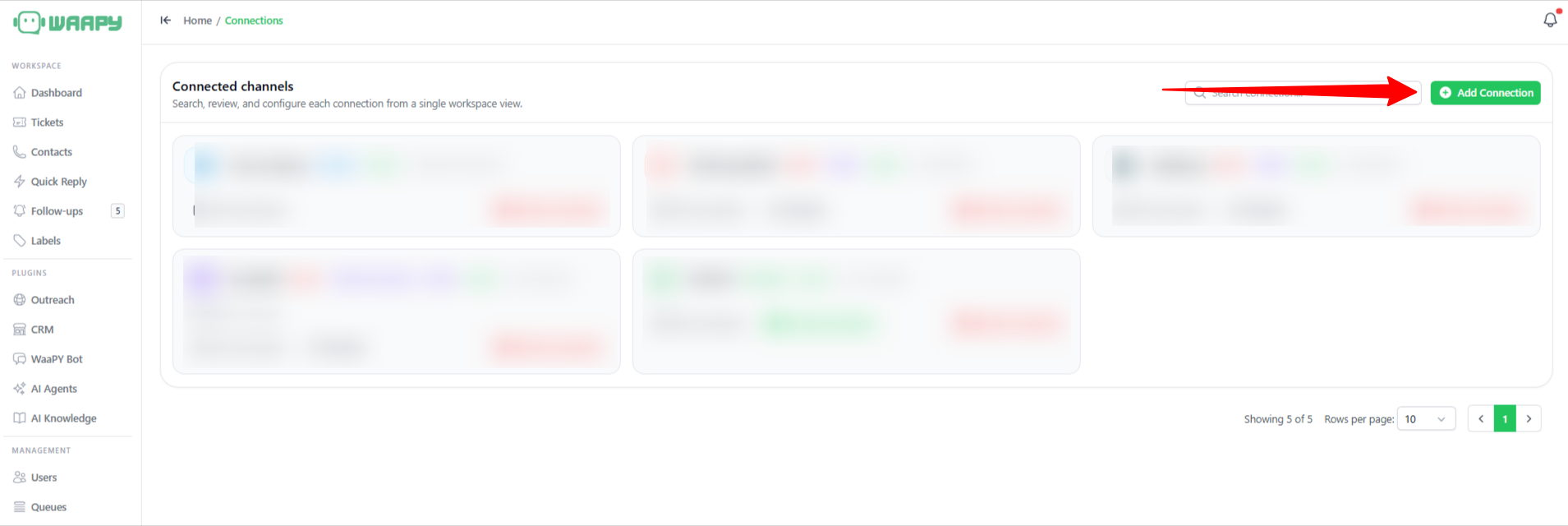
- Go to the Connections menu from the left sidebar.
- On the Connected Channels page, click the green + Add Connection button in the top-right corner.
Step 2: Select Telegram Channel
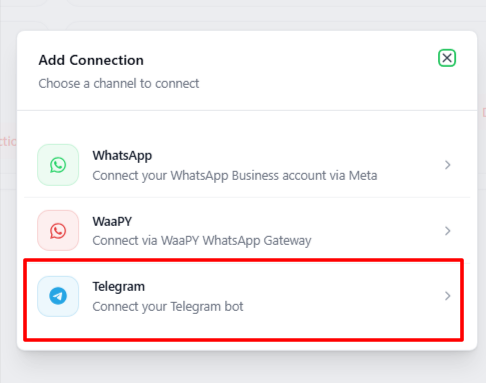
A pop-up modal titled Add Connection will appear with available channel integration options. Select Telegram (Connect your Telegram bot) from the list.
Step 3: Enter Bot Credentials
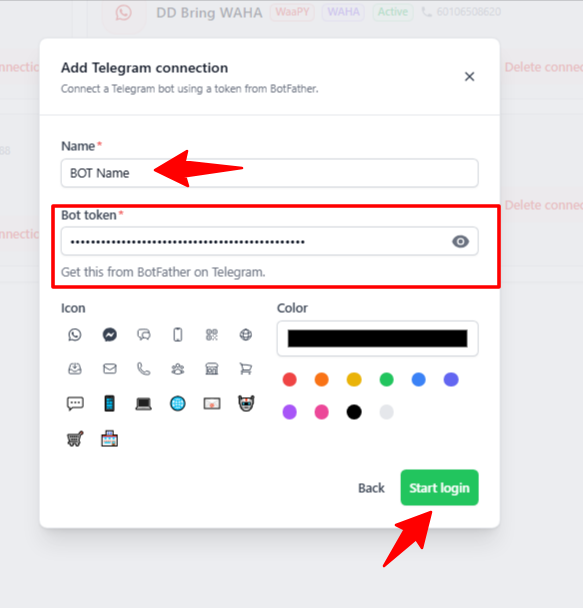
In the Add Telegram connection modal, fill in the required details:
- Name: Enter a custom name for your bot in the text field.
- Bot Token: Paste the unique token generated from BotFather on Telegram.
You can optionally select an icon and background color to customize your bot's appearance within the platform.
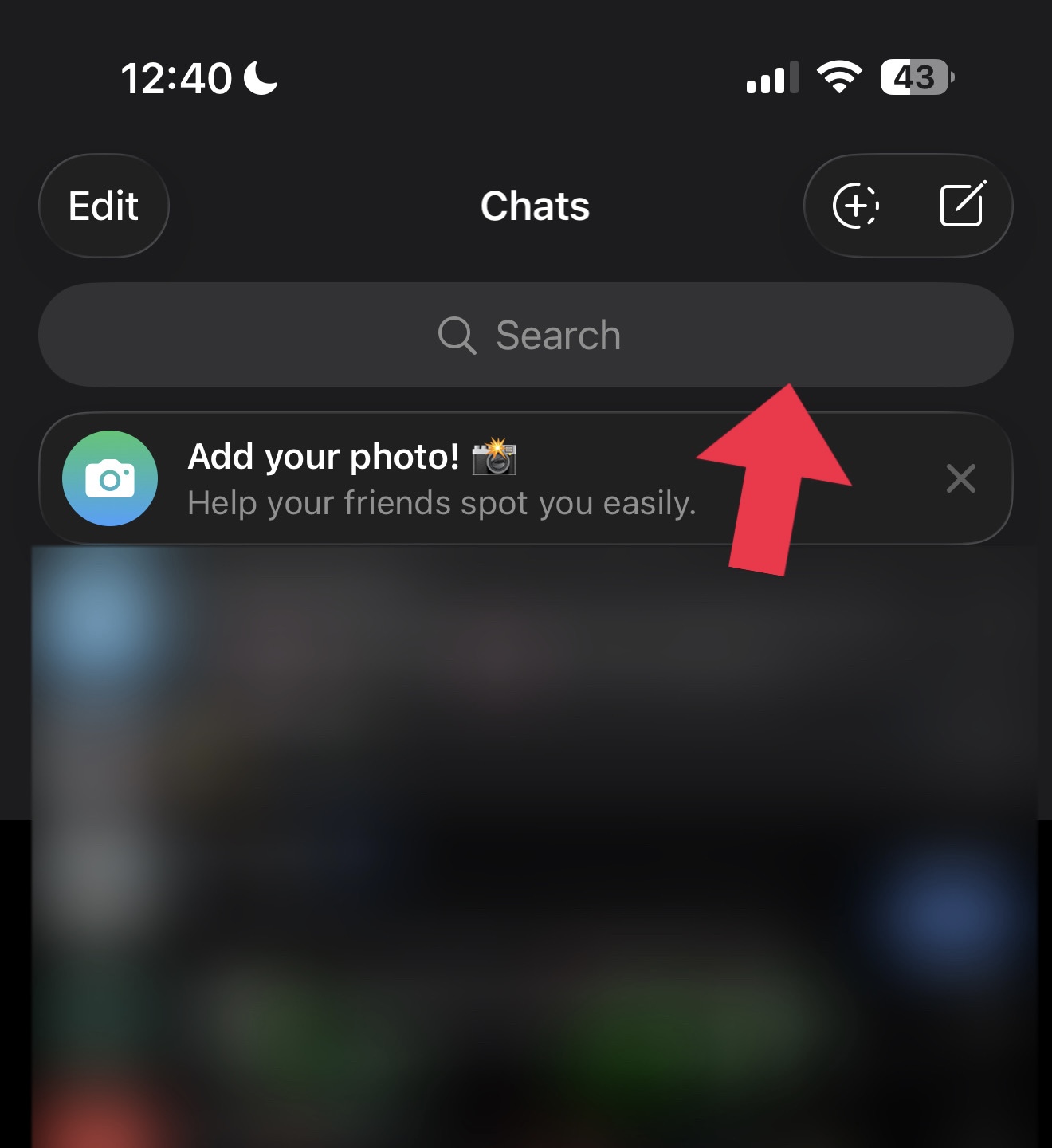
Step 1: Open Search in Telegram
Open the Telegram app on your mobile device and tap the Search bar at the top of the Chats screen.
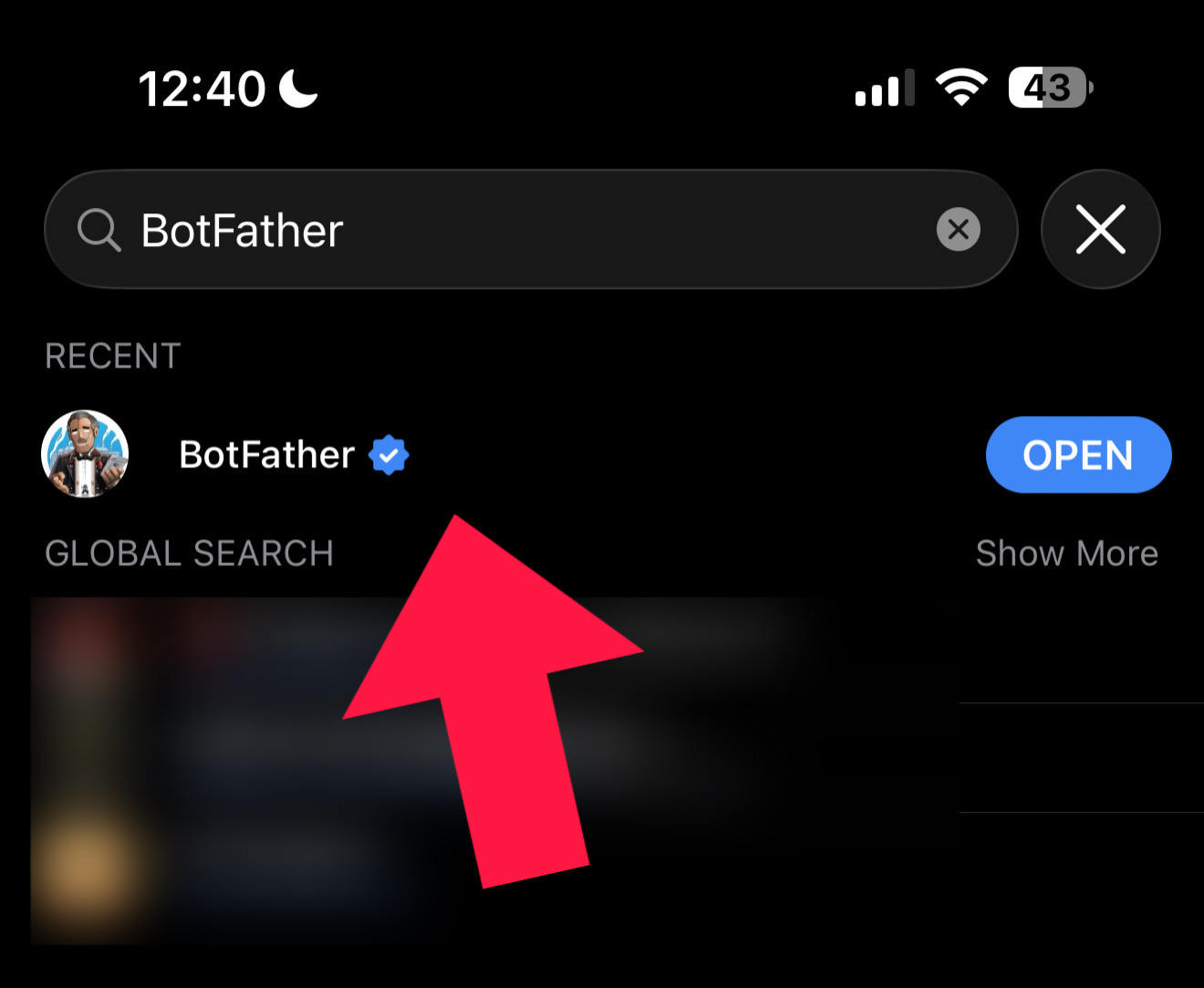
Step 2: Search for BotFather
Type BotFather into the search bar and select the verified BotFather account (indicated by the blue checkmark) from the search results.
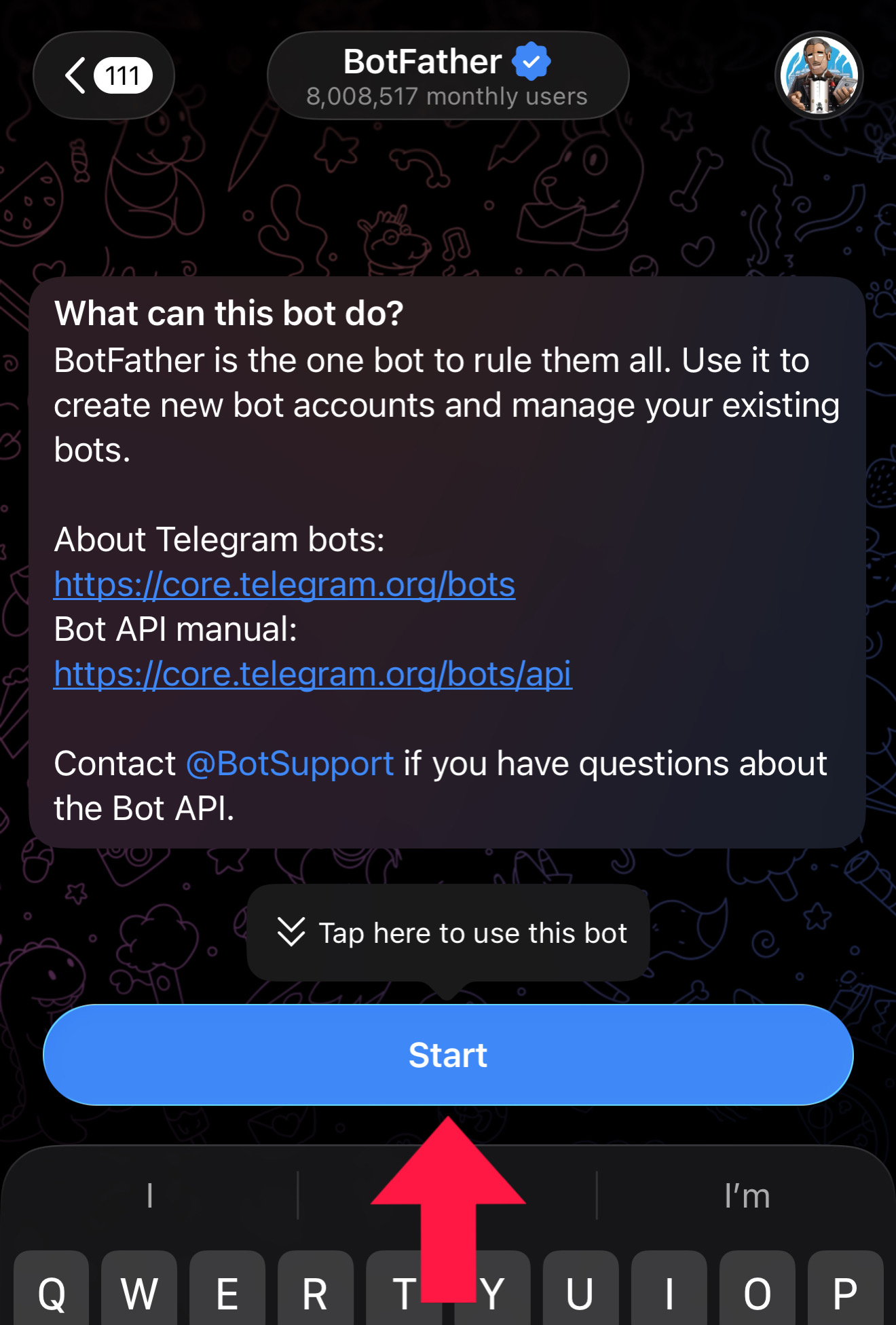
Step 3: Start BotFather
Tap the Start button at the bottom of the screen to initiate a conversation with BotFather.
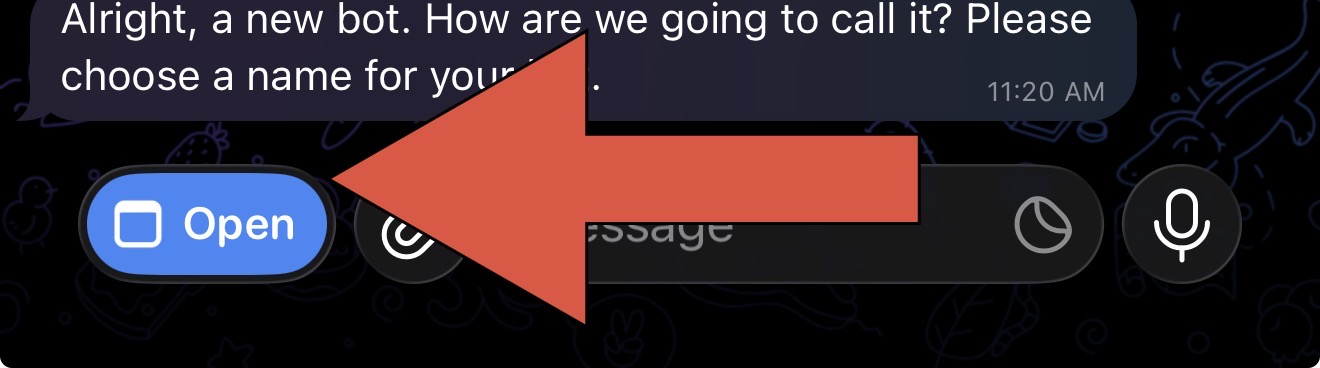
Step 4: Launch Bot Creation Menu
Tap the blue Open button located at the bottom-left corner of the input bar to launch the BotFather web app interface.
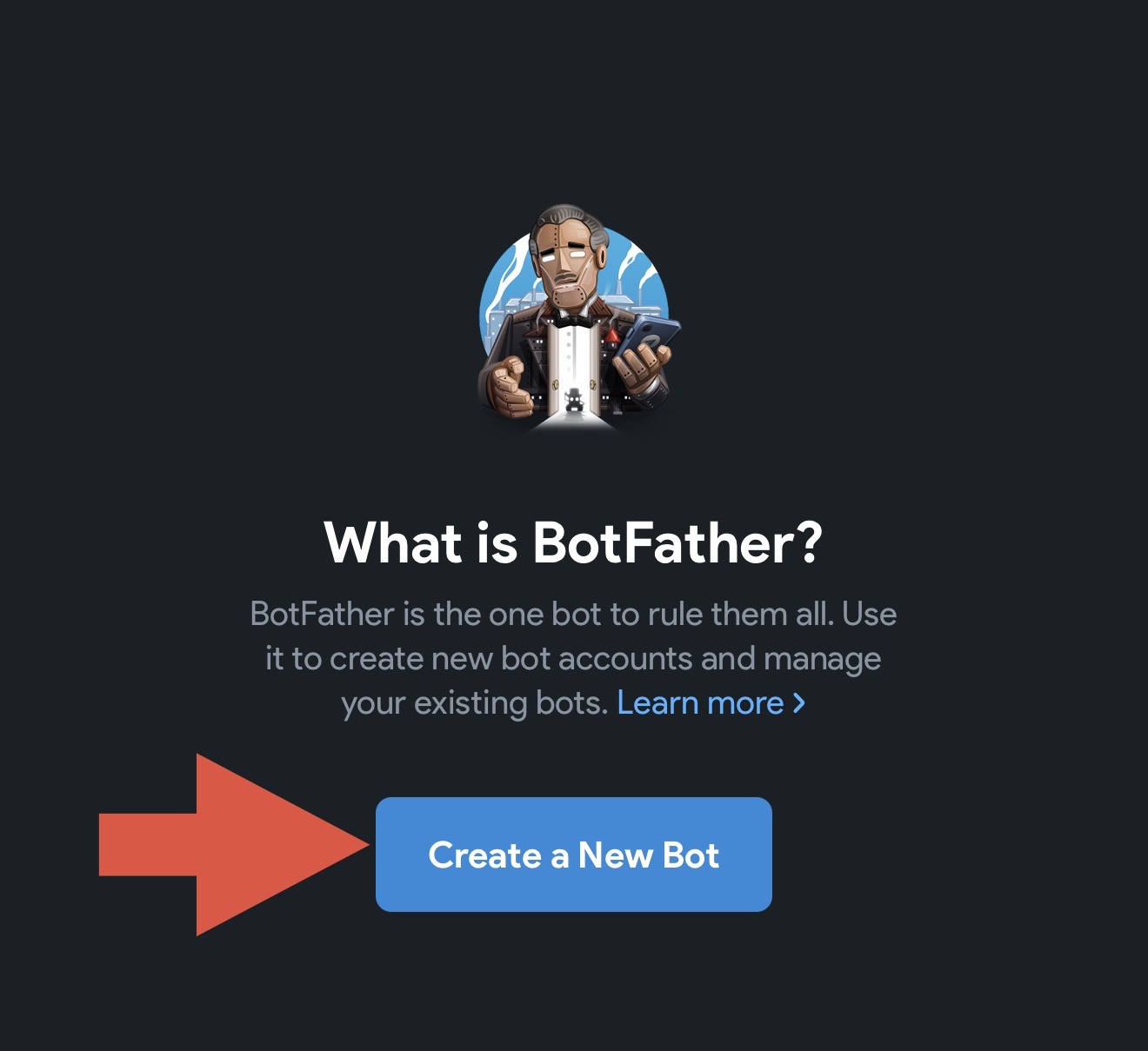
Step 5: Create a New Bot
In the BotFather interface pop-up, tap the Create a New Bot button.
Step 6: Enter Bot Details and Create
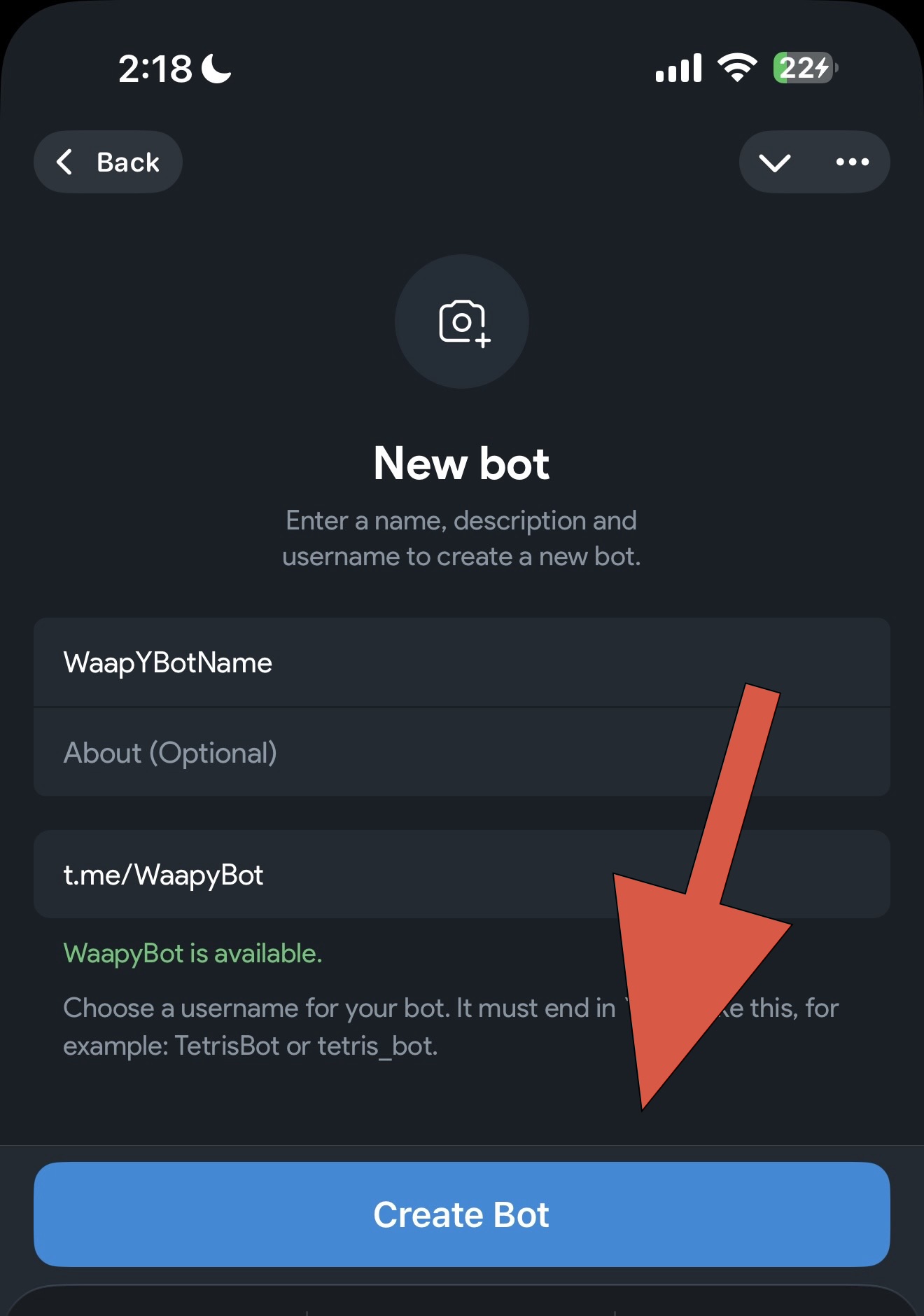
Fill in the required details for your new bot:
- Enter the display name for your bot.
- Enter an optional description.
- Enter a unique username ending in
bot(e.g.,t.me/WaaPyBot). - Tap the Create Bot button.
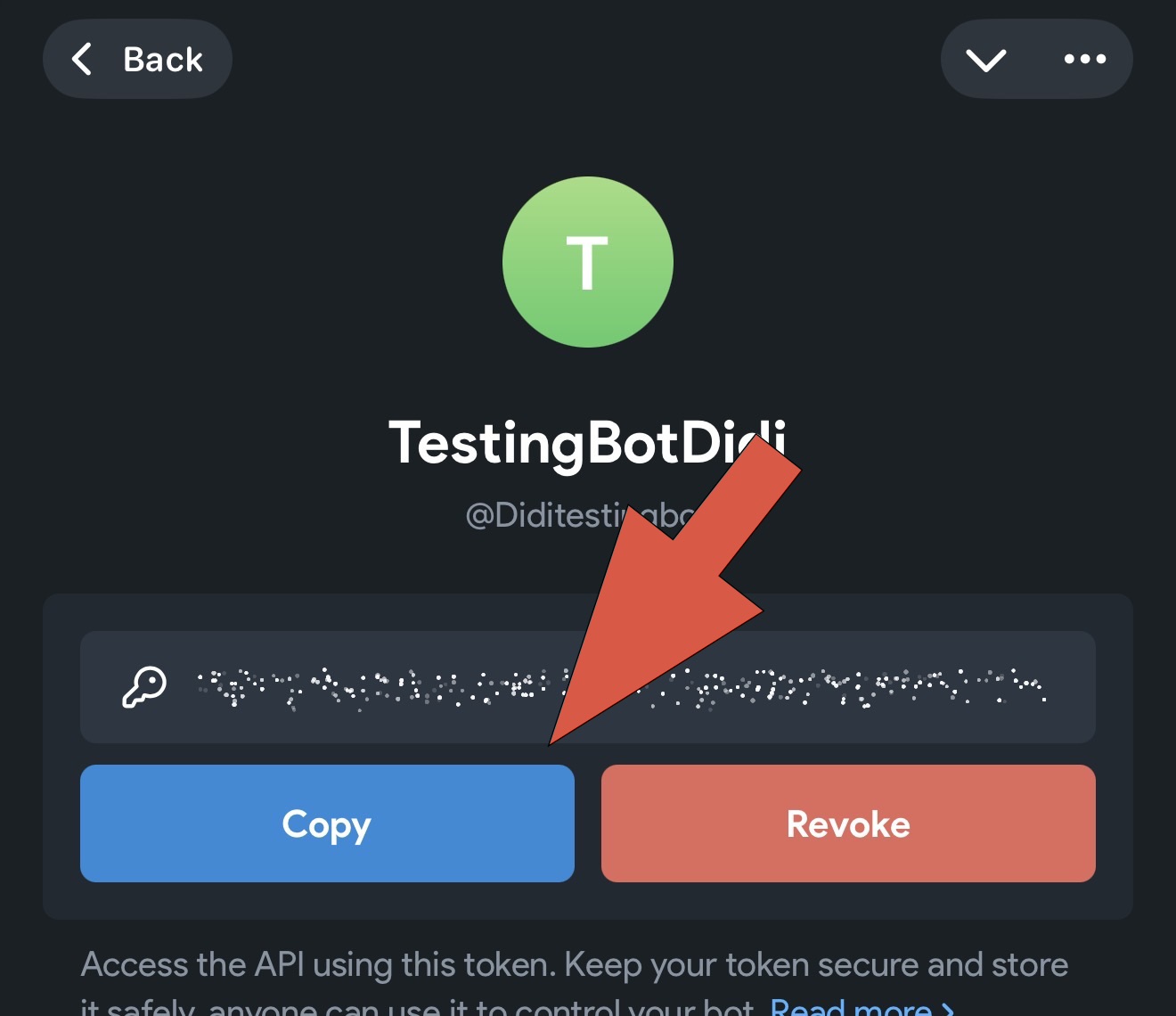
Step 7: Copy the API Bot Token
Once created, your bot's details will appear along with its generated API Token. Tap the blue Copy button to copy the token to your clipboard.
Paste this token into the Bot Token field in WaaPY Lite to complete your connection. See the Direct Connect tab above for details.