Integrations
Quick Overview
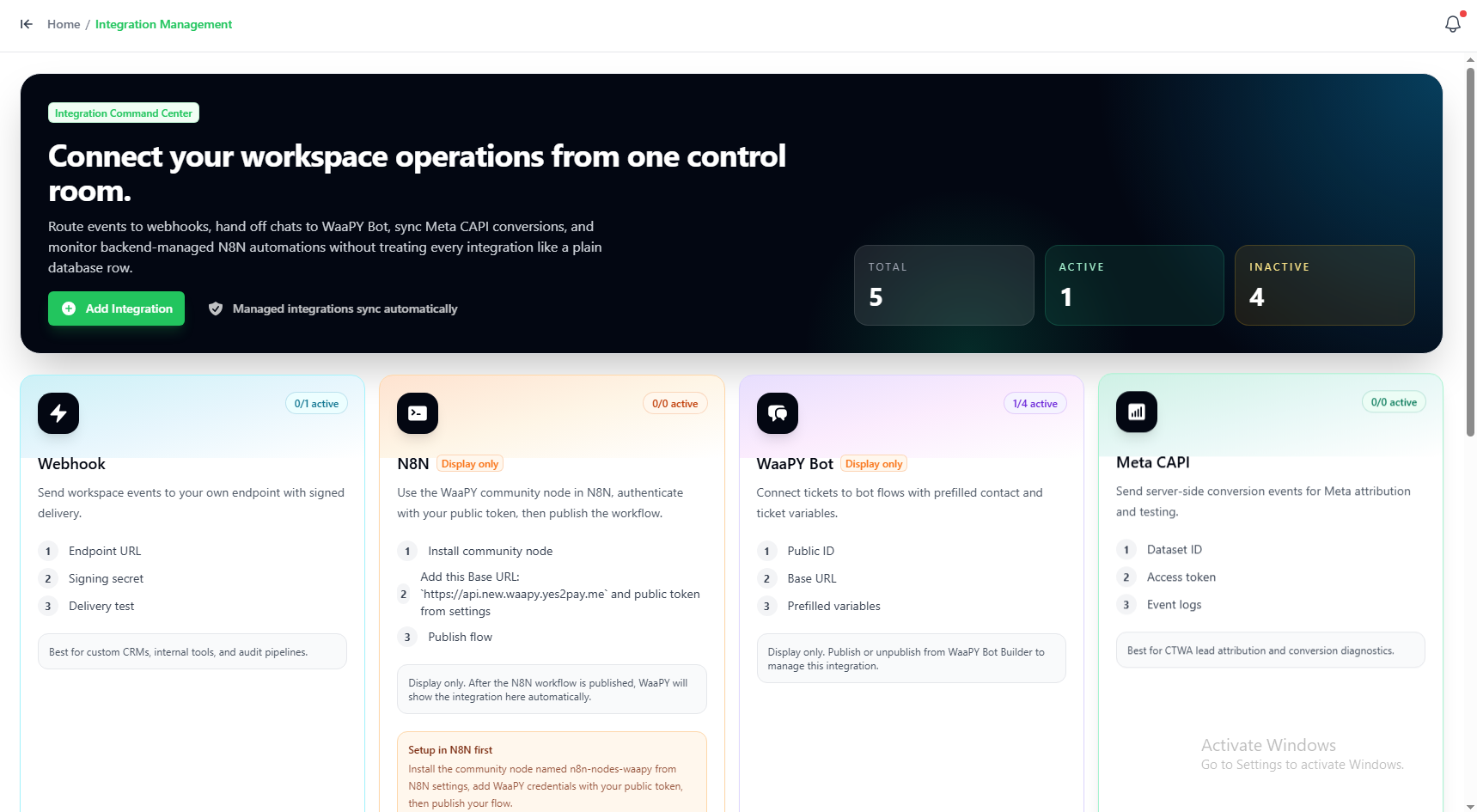
The Integrations page allows you to connect WaaPY with external services. You can configure Webhooks to send system events to your own servers, or set up Meta CAPI (Conversions API) to send chat events directly to your Meta Pixel.
Setting Up an Integration
Follow these steps to add a new external integration:
Step 1: Add New Integration
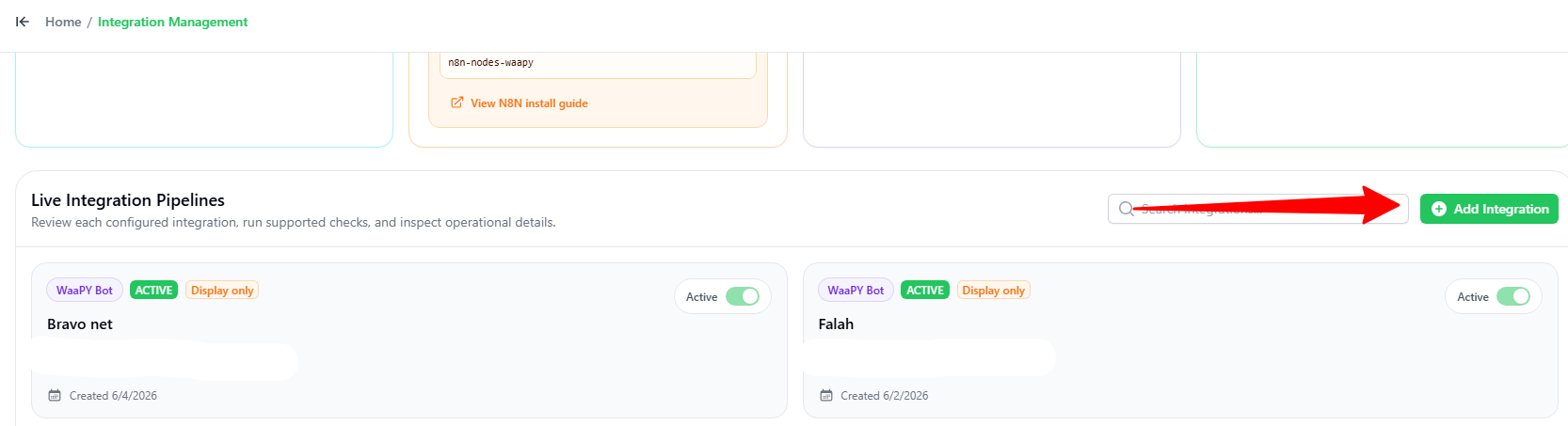
- Go to the Integration Management page.
- Scroll down and click the green + Add Integration button.
Step 2: Choose the Service
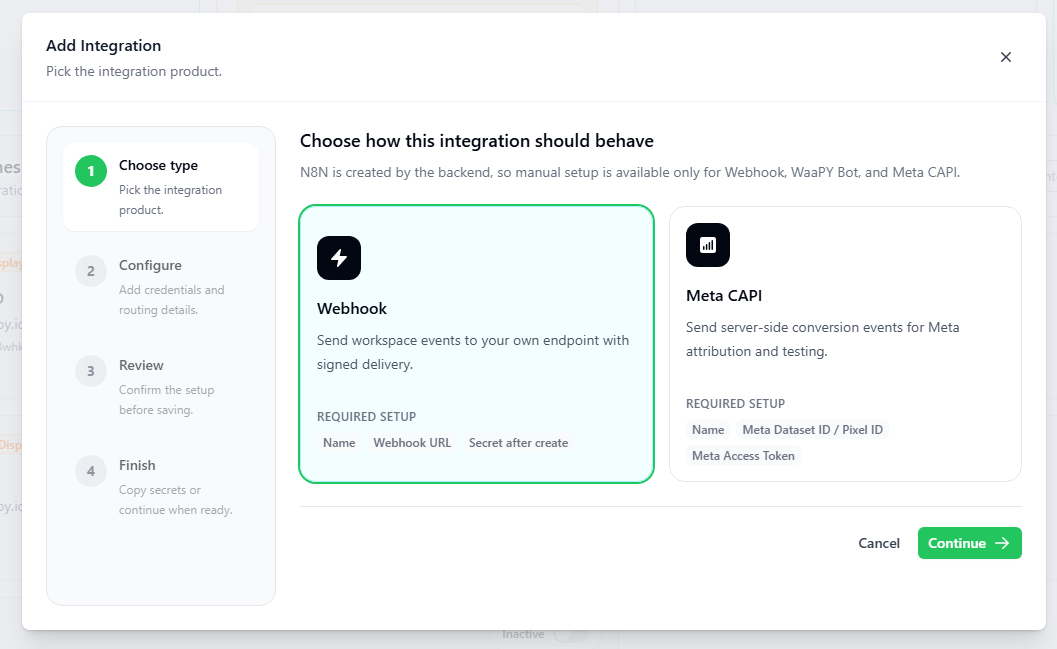
In the Add Integration popup:
- Choose the service you want to add (e.g., Webhook or Meta CAPI).
- Click the green Continue button.
Step 3: Configure Settings
In the configuration screen:
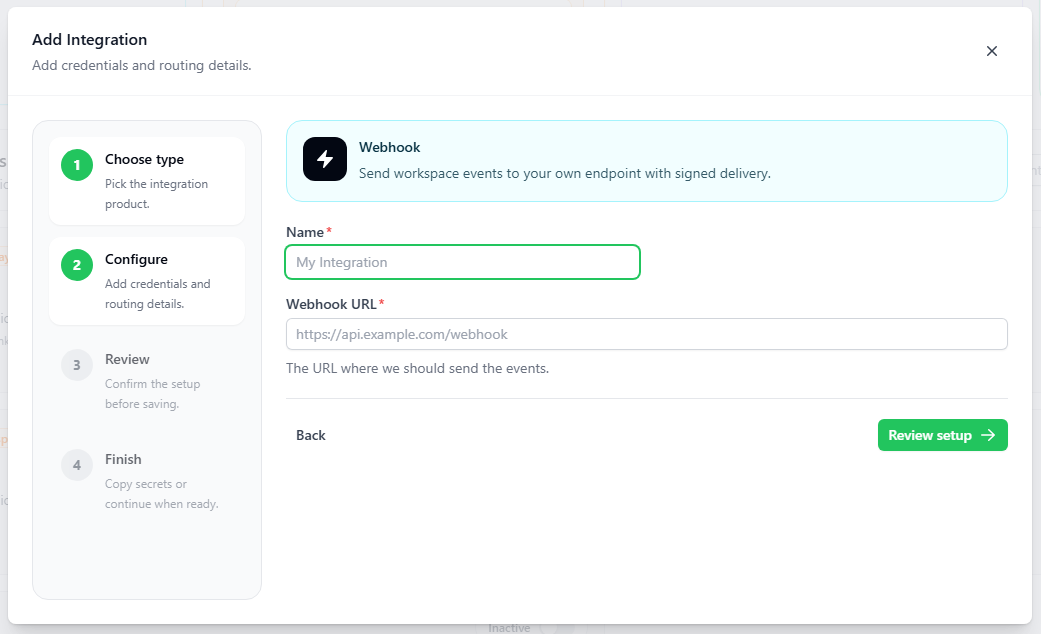
- Name: Type a name for your integration.
- Details:
- For Webhook: Enter your Webhook URL (the link where system events will be sent).
- For Meta CAPI: Enter your Meta Dataset ID / Pixel ID and Meta Access Token.
- Follow the remaining steps (Review and Finish) to save and activate your integration.