Queues
Quick Overview
Queues allow you to route incoming customer chats to specific departments or teams (like Sales, Support, or Accounting). Each queue can have its own color and automatic greeting message.
Managing Queues
Select a tab below to learn how to create and configure your queues:
- Create a Queue
- Setup Details
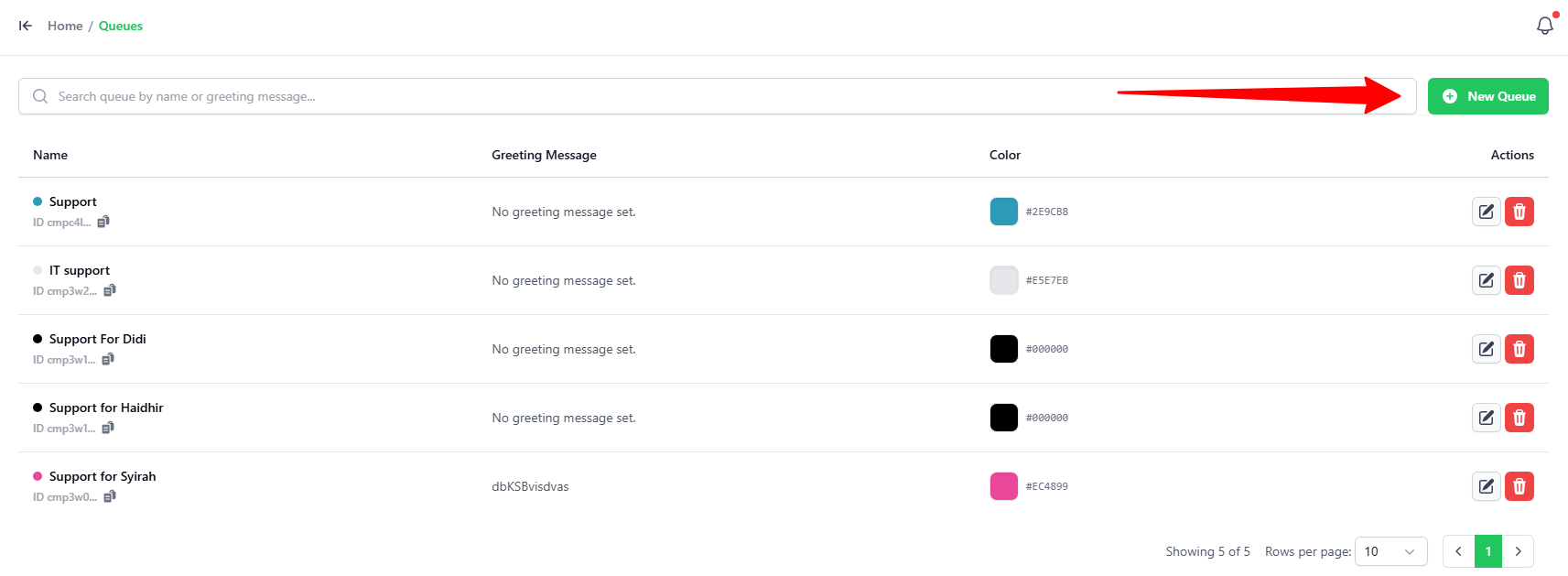
- Go to the Queues tab.
- Click the green + New Queue button in the top-right corner.
In the Add Queue popup, enter these details:
-
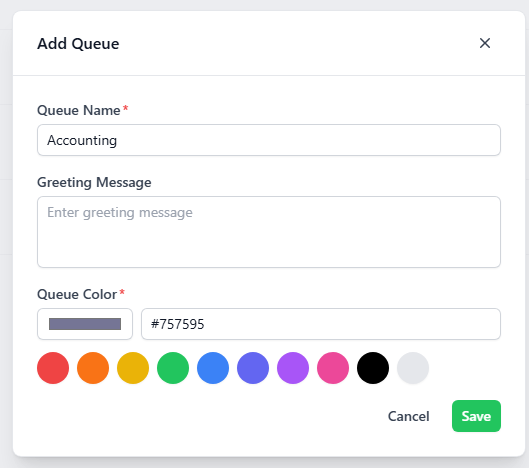
Queue Name: Enter a name for the group (e.g.,
Accounting). -
Greeting Message: Type an automatic welcome message. This message is sent automatically to the customer when a new ticket is received in this queue.
noteThe greeting message is optional.
-
Queue Color: Pick a color for your queue. You can click one of the preset color circles or the color box to choose a custom color.
-
Click the green Save button.