Report an Issue
Quick Overview
The Support portal allows you to report bugs, request help, and track the status of your existing support tickets directly within WaaPY Lite.
Submitting a Support Ticket
Follow these steps to submit and track an issue:
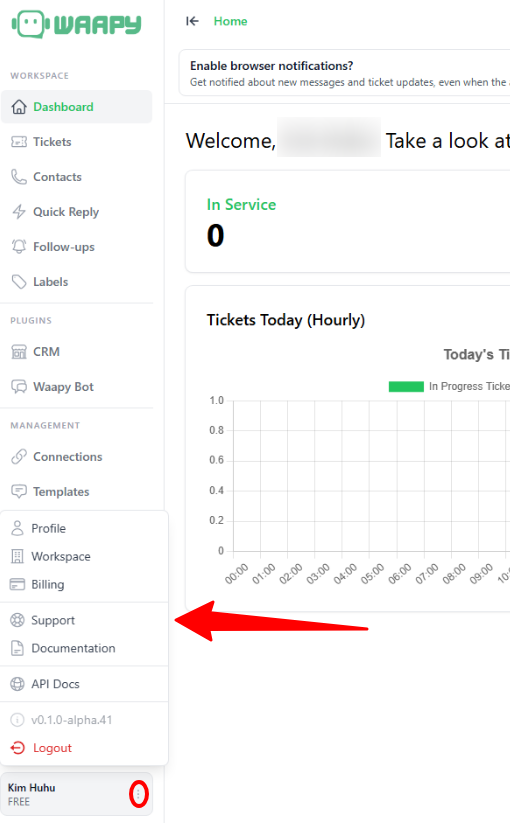
Step 1: Access Support
Click the Support option in the lower-left navigation menu (located on the 3 dots).
Step 2: Ticket Details
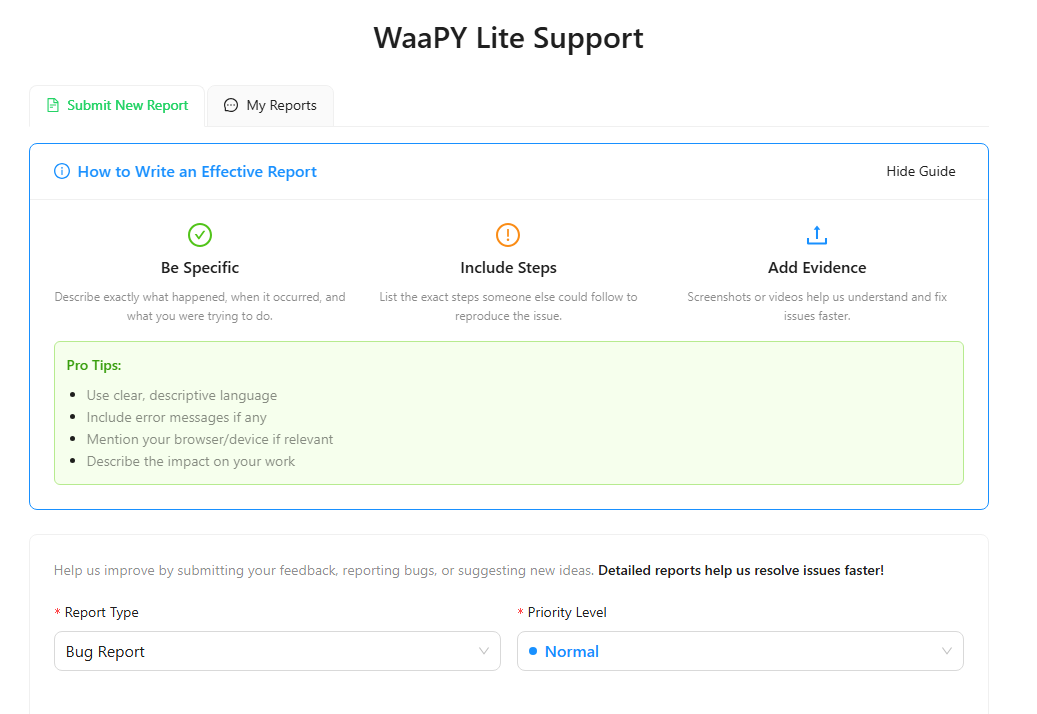
In the support portal, fill out the initial ticket configuration fields:
- Report Type: Select the category of your issue (e.g., "Bug Report").
- Priority Level: Set the urgency of your issue (e.g., "Normal").
Writing Effective Reports
Be specific, include steps, and add evidence to help our team resolve your issue faster.
Step 3: Documentation
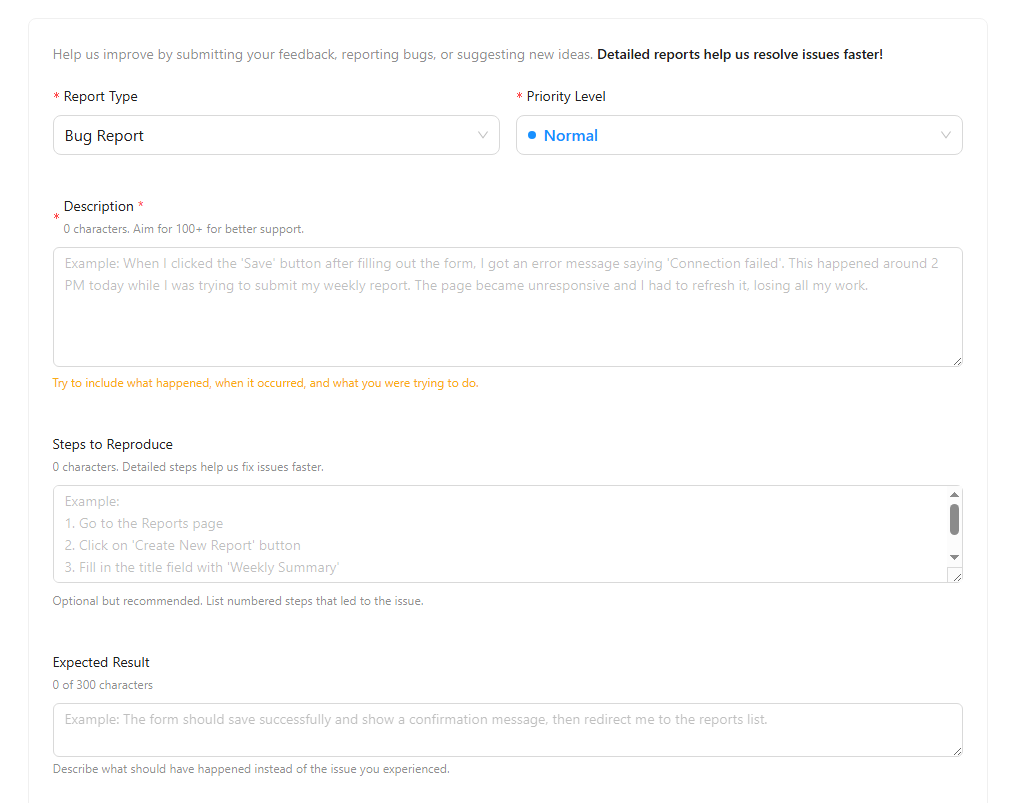
Provide detailed information about the issue:
- Description: Explain the error or problem you are experiencing.
- Steps to Reproduce: List the exact actions that lead to the bug. (Optional but highly recommended)
- Expected Result: Describe what the platform should have done instead of the error.
Step 4: Evidence & Submit
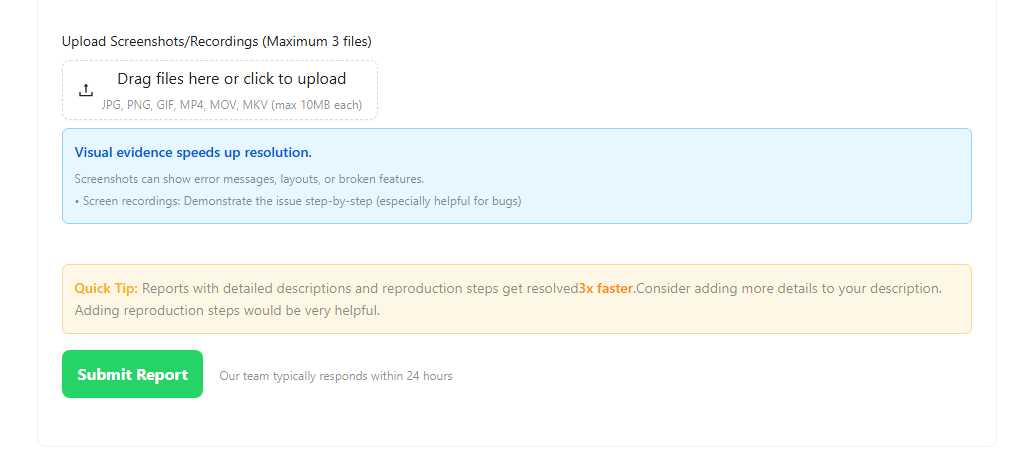
- Upload Screenshots/Recordings: Drag and drop or select up to 3 files (JPG, PNG, GIF, MP4, MOV, MKV) that show the issue.
- Click the green Submit Report button.
note
The support team typically responds within an hour or two.
Step 5: Track Reports
To view the status of issues you have submitted in the past, click the My Reports tab at the top of the Support portal.