
Last verified against Meta’s published documentation: 19 October 2026
Let us start with the answer most vendor blogs will not give you.
If one person handles your WhatsApp and you are not missing messages, stay on the free app. The API costs money per message, needs a software platform on top, and solves problems you do not have yet. Upgrading early is a common and expensive mistake.
This guide is about recognising the moment that stops being true — and what actually happens when it does.
What each one actually is
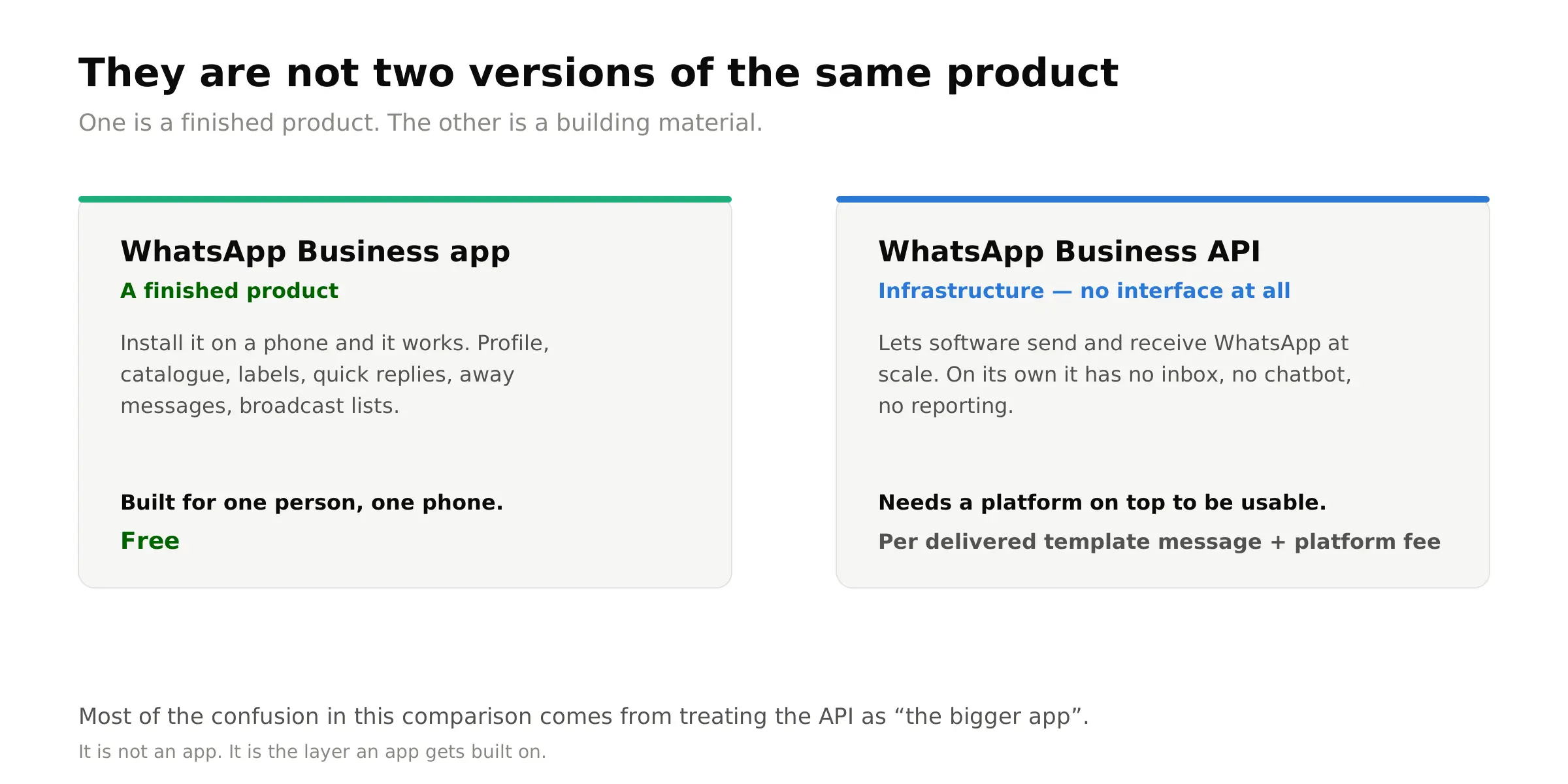
The WhatsApp Business app is a free app you install on a phone. It gives you a business profile, a product catalogue, labels, quick replies, away messages and broadcast lists. It is designed for one person running one business number.
The WhatsApp Business API — officially the WhatsApp Business Platform — is not an app. It has no interface at all. It is infrastructure that lets software send and receive WhatsApp messages at scale. To use it you need two things: access to the API, and a platform that gives you an inbox, automation and reporting on top of it.
That distinction is the source of most confusion. People compare the app to the API as if they are two versions of the same product. They are not. One is a finished product; the other is a building material.
The full comparison
| Feature | WhatsApp Business app | WhatsApp Business API |
|---|---|---|
| Cost | Free | Per delivered template message, plus a platform subscription |
| Who can use it at once | Bound to one primary phone, plus a limited number of linked companion devices | Unlimited agents, each with their own login |
| Conversation assignment | ✗ | ✓ |
| Ticket status and SLA tracking | ✗ | ✓ |
| Automation | Away messages, greeting messages, quick replies | Full AI chatbot connected to your databases, CRM and APIs |
| Broadcast reach | Only contacts who have saved your number | Any customer who has opted in, via approved templates |
| Broadcast list size | Capped per list | Limited by your opt-in list, not by the tool |
| Message templates | Not applicable | Required outside the 24-hour window; subject to Meta approval |
| CRM and system integration | ✗ | ✓ |
| Reporting | Basic message counts | Response time, resolution rate, agent workload, campaign performance |
| Voice calling | On the phone itself | Answered by agents in the browser, with transfers and recording |
| Green tick / verification | Limited | Available through the appropriate verification route |
| Data ownership | Chat history lives on the staff member’s device | History lives with the business |
| Setup effort | Install and go | Business verification, number registration, template approval |
One honest note on the device limit. Meta has revised how many companion devices a WhatsApp Business account supports more than once, so we have described the app as device-bound rather than quoting a number that may be stale by the time you read this. The structural point is what matters: the app is tied to a phone, and the API is not.
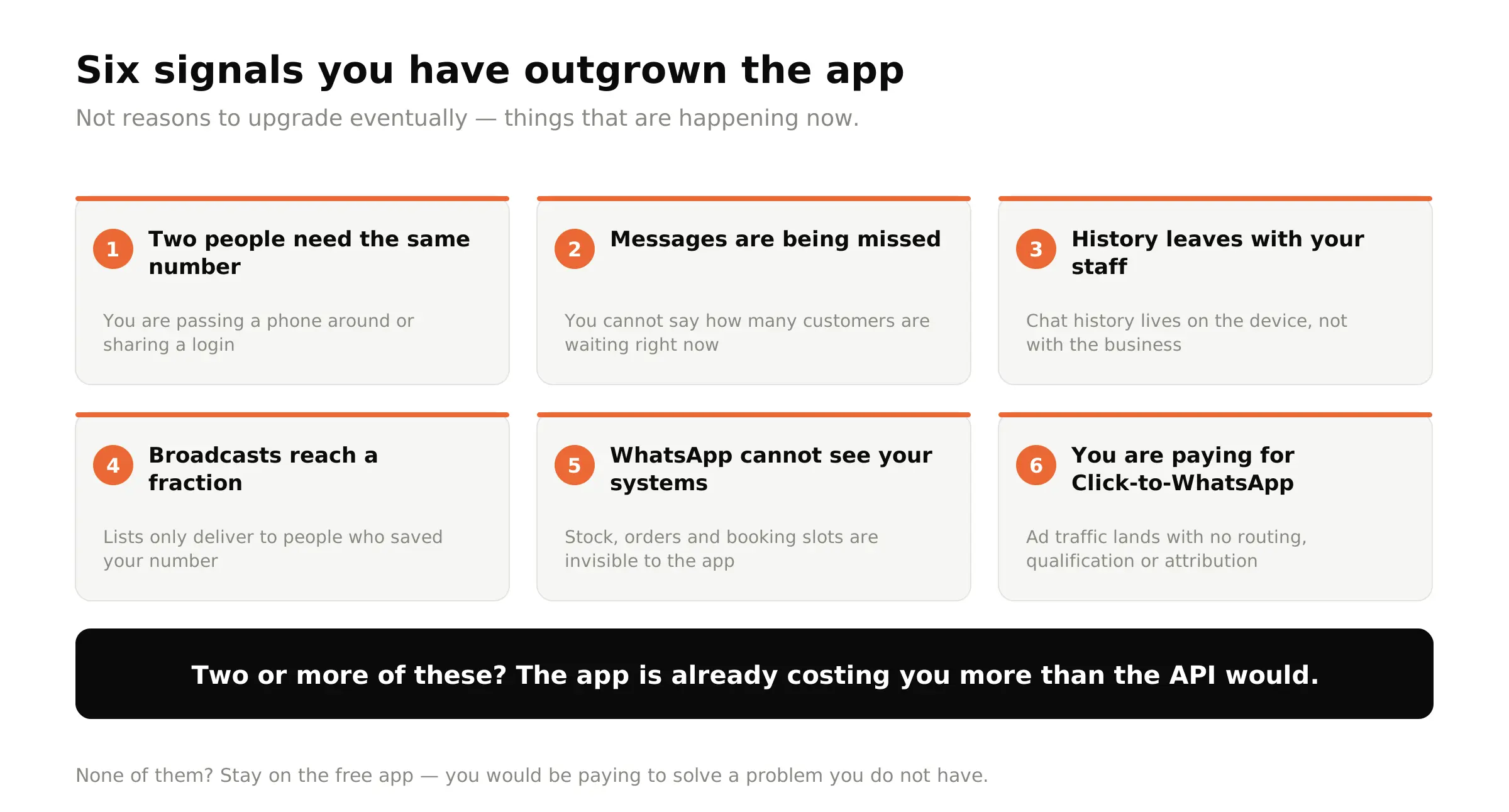
Six signals you have outgrown the app
Not reasons to upgrade eventually — specific things that are happening to you right now.
Two people need the same number at the same time
This is the single most common trigger. When the sales team and the support team both need the WhatsApp account, and you are passing a phone around or sharing a login, you have outgrown it. The app is built around one device holding one number.
Messages are being missed, and nobody is accountable
With no assignment and no ticket status, an unanswered enquiry looks exactly like a resolved one. If you cannot answer the question how many customers are waiting on us right now?, that is the signal.
Customer history walks out the door when staff leave
Chat history on the WhatsApp Business app lives on the device. When the salesperson who held the phone resigns, so does the relationship record. For most businesses this is the moment the upgrade stops being optional.
Your broadcasts only reach a fraction of your customers
Broadcast lists in the app only deliver to people who have saved your number in their contacts. Most customers never do. If your campaigns reach a few hundred people out of a database of thousands, the app is the reason.
You need WhatsApp to know something only your system knows
Order status, stock levels, booking slots, account balances, delivery tracking. The app cannot see any of this. The moment your customers’ most common questions can only be answered by looking something up, automation stops being a nice-to-have.
You are paying for Click-to-WhatsApp ads
If you are spending on ads that drive conversations into WhatsApp, and those conversations land in an inbox with no routing, no qualification and no attribution, you are paying twice — once for the click, and again in lost leads.
What you give up when you move
Every vendor writes the upgrade list. Far fewer write this one, and it is the part that causes regret.
You lose the app on that number
A number migrated to the API can no longer be used in the WhatsApp Business app in the normal way. Your team stops working from a phone and starts working from a browser. That is usually an improvement, but it is a change of habit and it needs training.
You lose free-form outbound messaging
On the app you can message anyone, any time. On the API, once the 24-hour customer service window closes, you must use a Meta-approved template. Templates get rejected. Plan for a review cycle.
You start paying per message
Template messages are billed by category and recipient country. Marketing messages cost substantially more than utility messages — in Malaysia, roughly six times more. Our full WhatsApp Business API cost breakdown for Malaysia has the current rates and three worked monthly examples.
You take on setup
Business verification with Meta, number registration, template submission. It is not difficult, but it is not instant either, and it is work the free app never asked of you.
Catalogue and some app-native features behave differently
If your business leans heavily on the in-app catalogue and shopping experience, check how your chosen platform handles it before committing.
The middle path: WhatsApp Coexistence
Until recently the choice was binary. It is not any more, and this is the part most comparison articles have not caught up with.
Coexistence lets a number already registered in the WhatsApp Business app connect to the Cloud API as well, so both run on the same number. Messages sent through the API appear in the app, and messages sent from the app appear in the API conversation history. Existing message history from the app can be synced across.
For a business that is nervous about the jump, this is genuinely the sensible route: keep the familiar app for the owner, add API-powered automation, broadcasting and a team inbox on top, without abandoning the number, the history or the audience.
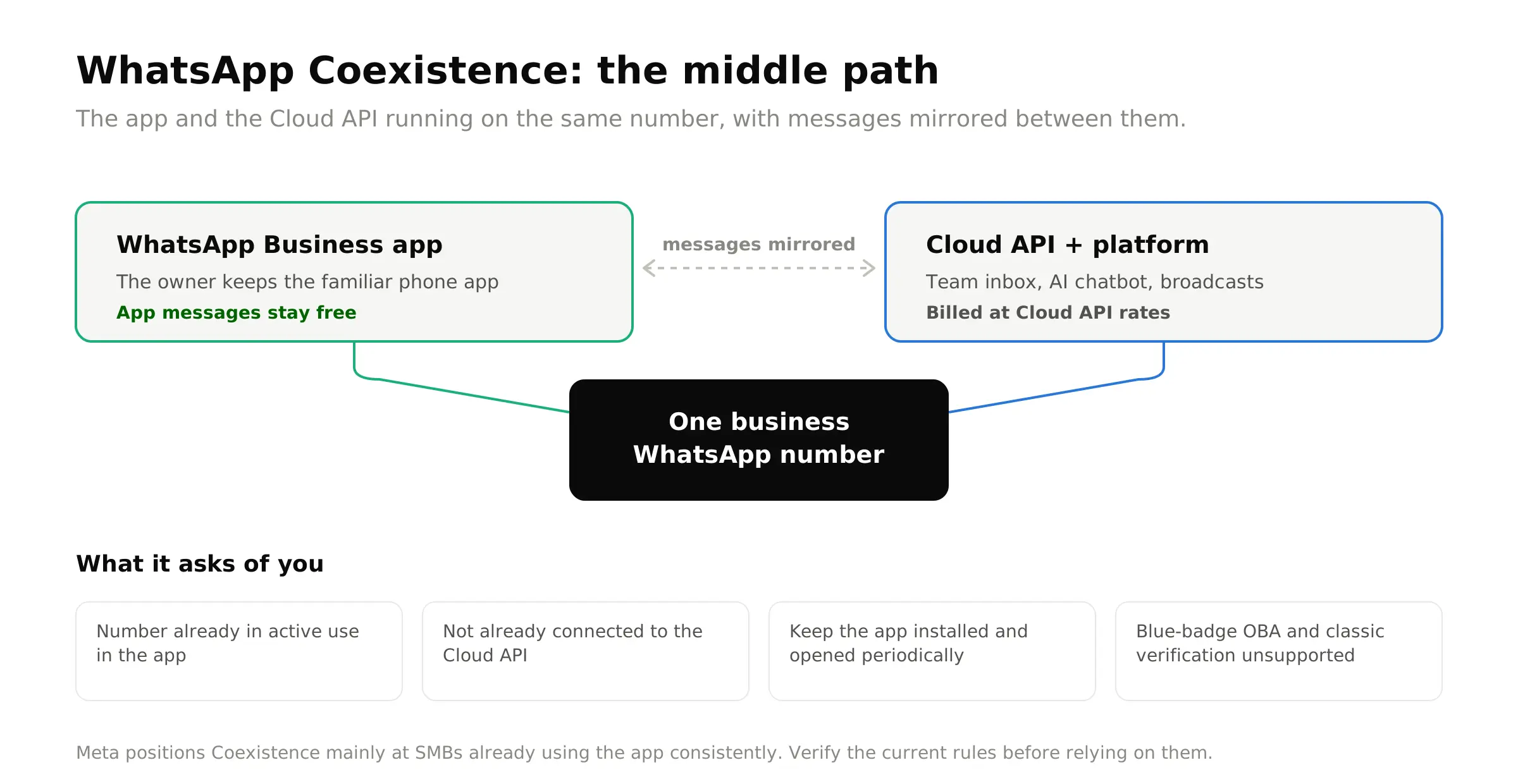
- The number must already be in active use in the WhatsApp Business app — a freshly created account is not immediately eligible, and eligibility depends on account tenure and messaging quality
- The number must not already be connected to the Cloud API
- Do not uninstall the app; it needs to be opened periodically to stay connected
- Classic Business Verification and the blue-badge Official Business Account are not supported on this route; Meta Verified for Business is the alternative
- Linked companion devices are unlinked during onboarding, and only supported device types can be re-linked
- Template messages are still required to start conversations through the API, and the 24-hour service window still applies
Meta positions Coexistence primarily at small and medium businesses already using the app consistently, rather than at large enterprises.
What migration actually involves
For a business moving a number onto the API properly, the sequence is:
- Meta business verification. Your business details are verified through Meta Business Manager. Allow time for this; it is the step most likely to introduce delay.
- Choose a platform. The API gives you nothing usable on its own. This is where you decide what your team will actually work in every day.
- Register the number. The number is moved onto the API. If it is currently in the WhatsApp Business app, you will be asked to confirm, and you should have exported anything you need first.
- Submit your first templates. Order updates, appointment reminders, campaign messages. Get these in early — approval is not instant.
- Set up the team and automation. Agents, departments, access rules, routing, chatbot knowledge sources, escalation triggers.
- Go live. Then watch response times for the first fortnight; the habit change is the real adoption risk, not the technology.
With verification already complete, the platform side of this is typically about an hour’s work.
So — should you upgrade?
A straight answer, by situation:
| Your situation | Recommendation |
|---|---|
| One person, under ~50 chats a day, nothing being missed | Stay on the app. You would be paying to solve a problem you do not have. |
| Two or more people need the number, or you are passing a phone around | Upgrade. This is what the API exists for. |
| You need broadcasts that actually reach your whole customer list | Upgrade. The app’s broadcast limitation is structural and has no workaround. |
| You want automation but are not ready to leave the app behind | Look at Coexistence first. You can add capability without losing the familiar setup. |
| You are running Click-to-WhatsApp ads at meaningful spend | Upgrade. The routing and attribution pay for themselves. |
| You are a large enterprise with compliance requirements | Upgrade, and skip Coexistence — the verification routes it does not support are likely ones you need. |
Related reading
