WaaPY – WhatsApp Broadcast, Automation, Notification & Customer Service Software

LINE Official Account Automation and Shared Inbox
LINE is the primary messaging app for customers across Japan, Thailand and Taiwan — and the LINE Official Account Manager was never built for a sales team. WaaPY connects your LINE Official Account to one shared, AI-powered inbox, alongside your WhatsApp, Instagram, Messenger, TikTok and Telegram conversations.
Built on LINE's official Messaging API. Multi-agent, ticketed, CRM-connected, and designed around how LINE actually charges for messages.
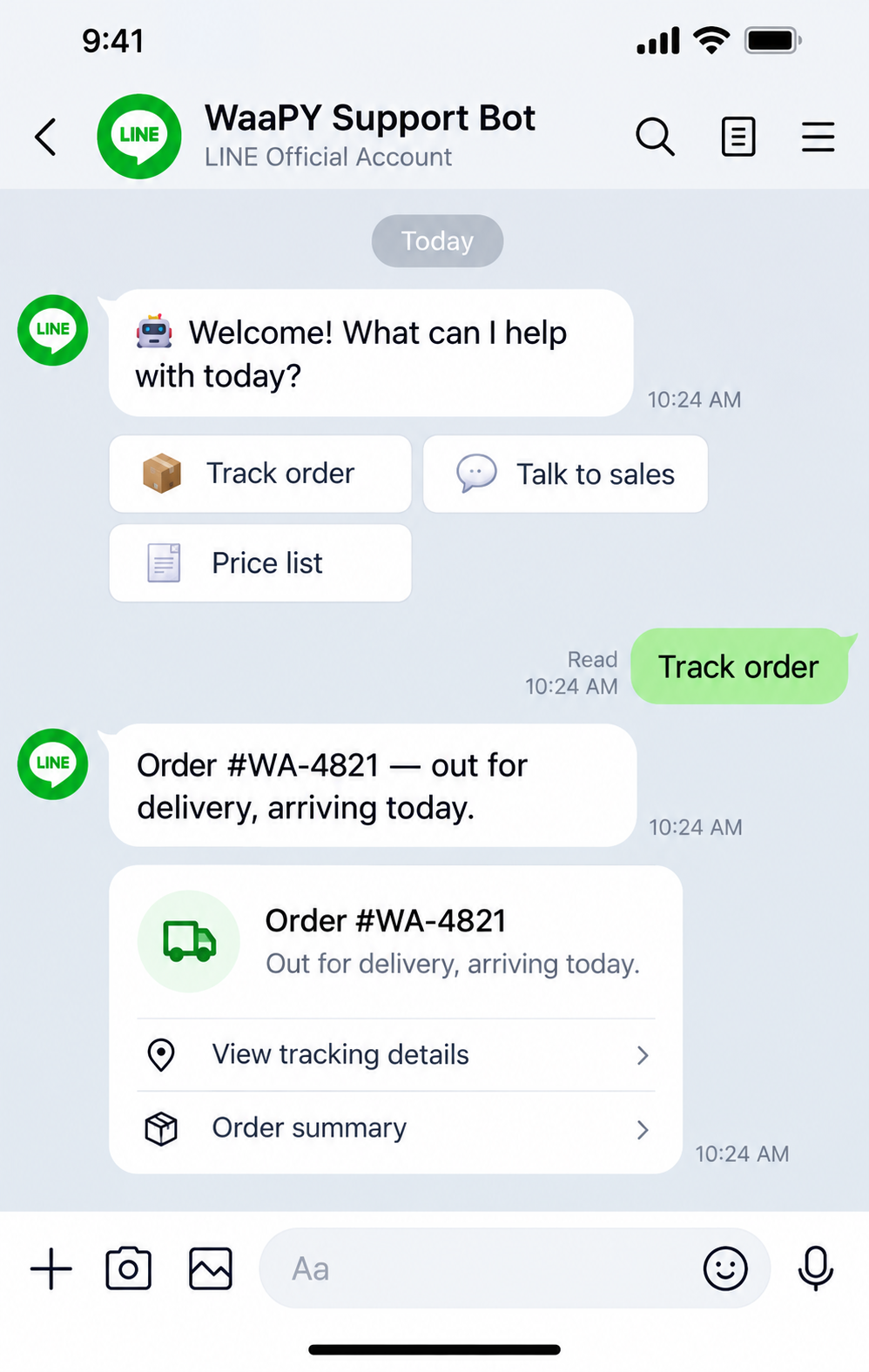
WHY LINE NEEDS A PROPER PLATFORM
LINE Official Account Manager is an admin tool, not a service desk
If your customers are in Japan, Thailand or Taiwan, LINE is not a secondary channel — it is the channel. But the native LINE Official Account Manager runs into the same wall every growing business hits:
No conversation assignment, so nobody owns an enquiry
No ticket status, so an unresolved chat looks identical to a closed one
No SLA tracking, no response-time reporting, no agent performance view
Automation limited to basic auto-replies and keyword responses
LINE conversations live in LINE while your customer data lives in your CRM
No view of the same customer's WhatsApp or Instagram history
If your customers are in Japan, Thailand or Taiwan, LINE is not a secondary channel — it is the channel. But the native LINE Official Account Manager runs into the same wall every growing business hits:
| LINE Official Account Manager vs WaaPY | ||
|---|---|---|
| Capability | LINE OA Manager | WaaPY |
| Multi-agent assignment | ✕ | ✓ |
| Ticket status and SLA | ✕ | ✓ |
| AI chatbot using your own data | ✕ | ✓ |
| Rich menu management | Basic | ✓ |
| Broadcast segmentation | Basic | ✓ |
| Contact and CRM record | ✕ | ✓ |
| Labels and tagging | Basic | ✓ |
| Response-time reporting | ✕ | ✓ |
| Other channels in the same inbox | ✕ | ✓ |
| API and n8n workflows | ✕ | ✓ |
The Messaging API solves the technical half of this. It has no inbox, no ticketing and no reporting of its own — it is infrastructure. WaaPY is the platform that sits on top of it.
WHAT U CAN DO WITH LINE ON WaaPY
A full customer engagement stack on your LINE Official Account
Shared Telegram inbox for the whole team
Multiple agents work one account at once, with assignment, internal notes, transfers and access controls.
AI chatbot that knows your business
Live pricing, stock, order status and booking availability, around the clock, in the customer's language.
Inline keyboards and menus
Tappable options and slash commands instead of free-text guessing — cleaner qualification.
Business account support
A bot replies on your behalf, under your own name, with scoped access rules.
Deep-link attribution
A t.me link carries a parameter, so every bot start arrives already tagged with its source.
Broadcasts, no templates
Updates, promos and alerts to subscribers — personalised, scheduled, tracked, no approval queue.
Ticketing, CRM, reporting
Every conversation is a ticket on a contact record shared with WhatsApp, Instagram, Messenger and TikTok.
Groups and channels
Support communities and announcement channels, tracked in the same inbox as everything else.
n8n and open API
Create a CRM deal, check ERP stock, or issue a payment link — visually or via API.
Shared LINE inbox with real access control
Multiple agents on one LINE Official Account. Assign by department, product line or branch, leave internal notes, transfer mid-chat, and restrict who sees which tickets.
AI chatbot connected to your own systems
Answers with live stock, real pricing, booking availability and order status. Handles text, images, stickers and files, replies in your customer's language, escalates with context.
Rich menus that do real work
Per-segment menus: new visitors see "Browse catalogue / Book appointment / Talk to us", returning customers see "Track my order / Reorder / Support".
Flex Messages and quick replies
Product cards, booking confirmations, receipts and carousels as Flex Messages, plus tappable quick replies that keep conversations structured.
Broadcasts, multicast and narrowcast
Audience building, scheduling and delivery tracking — with the message count shown before you send, not after.
Unified CRM profile across channels
LINE history in the same contact record as WhatsApp, Instagram, Messenger and TikTok. One person, one history.
Ticketing, labels and SLA
Every LINE conversation becomes a ticket with owner, status, labels and history — so you know what is still open and who owns it.
n8n workflows and open API
Create a CRM deal from a LINE enquiry, check ERP stock, issue a payment link or sync to Google Sheets — in n8n or via the WaaPY API.
HOW LINE CHARGES FOR MESSAGES
LINE's pricing model rewards fast replies — if you are set up for it
LINE bills differently from every other channel in this platform, and the difference is worth understanding before you plan your campaigns.
Replies are free. Outbound messages are counted.
A reply — your answer to a customer who just messaged you — does not count toward your monthly quota. Push, multicast, broadcast and narrowcast messages do.
Messages are counted per person, not per request.
One API request carrying four message objects, sent to five people, counts as five messages — not one, and not twenty.
| LINE message types and what they cost you | ||
|---|---|---|
| Message Type | What It Is | Counts Toward Your Quota? |
| Reply message | Your response to a customer who just messaged you | No – free |
| Push message | A message to one specific user, outside a reply | Yes |
| Multicast | The same message to a list of specific users | Yes – one per recipient |
| Broadcast | A message to all friends of your account | Yes – one per recipient |
| Narrowcast | A message to a targeted segment | Yes – one per recipient |
| Messages to users who blocked you | Not delivered | No – not counted |
| Messages to nonexistent user IDs | Not delivered | No – not counted |
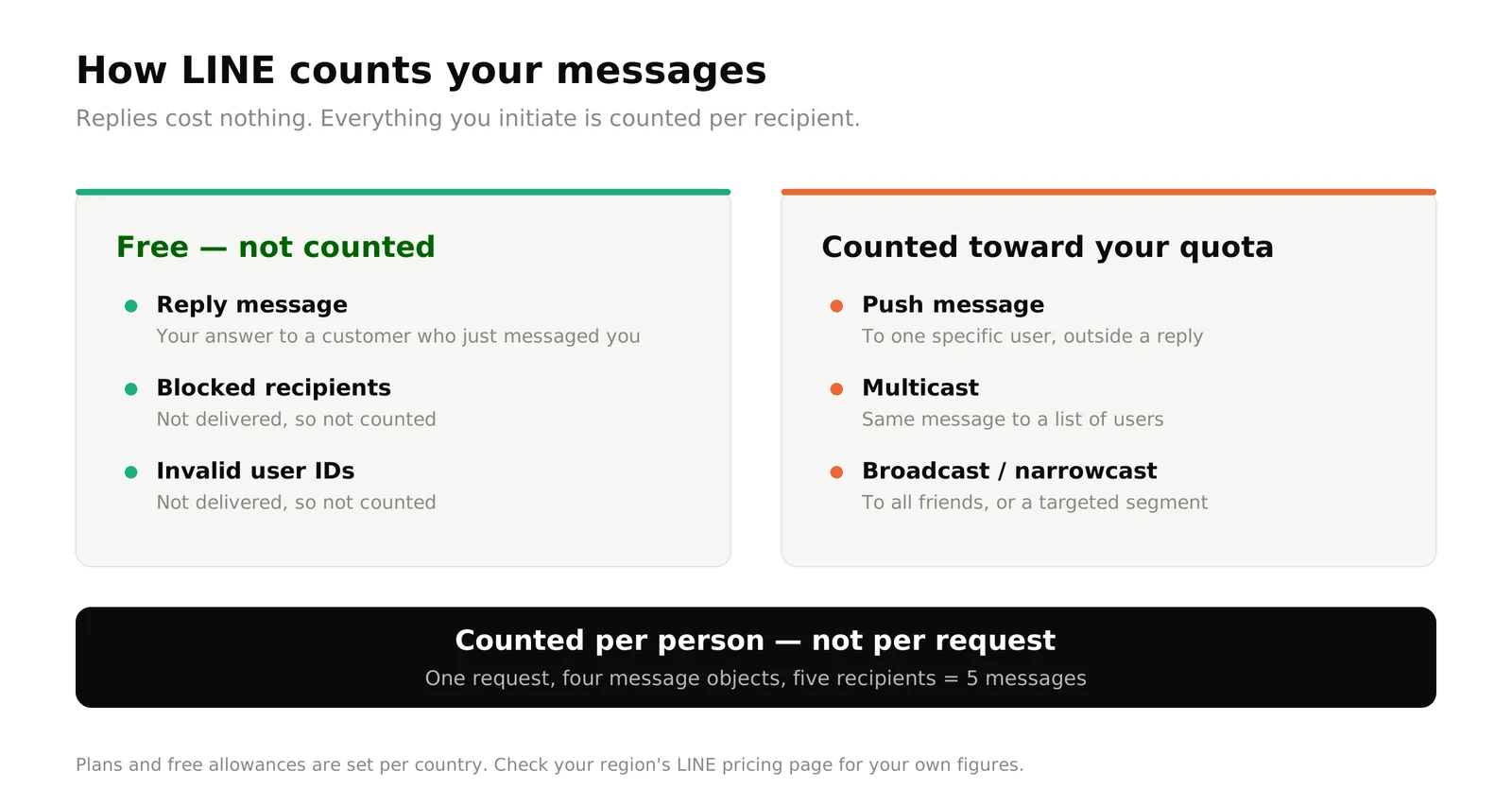
Plans and quotas vary by country
LINE sets subscription tiers and free message allowances per region, so a Thai, Taiwanese and Japanese account will not see the same figures. In Japan, for example, the free Communication plan includes up to 200 messages a month, the Light plan JPY 5,000 for up to 5,000, and the Standard plan JPY 15,000 for up to 30,000, with additional messages charged on top. Check your own region's LINE pricing page for your figures.
Updated October 2026
A campaign can silently stop halfway
Once you hit your monthly limit, further messages return an error and are simply not sent — unless additional messages are enabled. WaaPY shows your remaining quota and the recipient count before a broadcast goes out, so the number is a decision rather than a discovery.
A LINE Official Account can only point at one tool at a time
This is the constraint most businesses discover the hard way, and it makes your platform choice heavier on LINE than on any other channel.
A LINE Official Account allows only one webhook URL. The LINE Platform cannot deliver incoming events to two destinations. Connect a second tool, and one of them stops receiving messages.
Channel access tokens have issuance limits
A long-lived token allows only one — reissue it in one tool and you can silently break another.
Rate limits are per channel, not per tool
Every request from every connected tool counts against the same ceiling.
Feature caps are shared too
Messages sent, rich menus, audiences.
A bolt-on chatbot plus a separate inbox plus a separate campaign tool is not a stable architecture on LINE. One platform should own the webhook and do all of it.
SET UP IN ABOUT AN HOUR
From LINE Official Account to live AI inbox in four steps
1-
Create your Messaging API channel
Register with Telegram or connect an existing bot. Business account owners connect it to reply on their behalf.
2-
Point the webhook at WaaPY
WaaPY becomes the single destination — replies, pushes, broadcasts and rich menus from one connection.
3-
Set up your team and automation
Agents, departments and access rules; rich menus, AI knowledge sources, working-hours routing and escalation.
4-
Go live and measure
Track volume, first-response time, broadcast delivery and resolution rate in the dashboard.
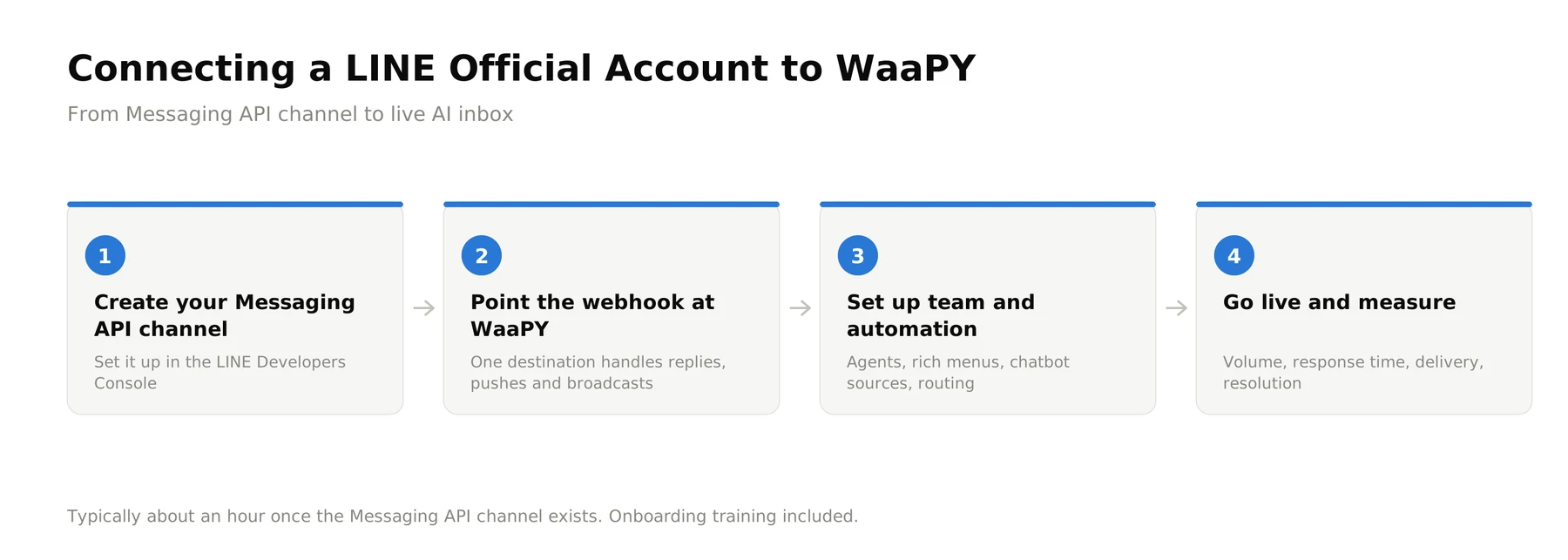
Onboarding training is included. Support runs through the ticketing system or WhatsApp.
WHO USES LINE AUTOMATION
Where LINE carries the customer relationship
Retail and e-commerce
Japan, Thailand and Taiwan — product questions, order updates and reorder flows through the rich menu.
Beauty, aesthetics and wellness
Consultation enquiries, booking and reminders, with Flex Message confirmations.
Food and beverage
Menus, reservations, outlet-specific questions and loyalty announcements.
Travel and hospitality
Itinerary details, booking confirmations and in-stay support.
Education and training
Course enquiries, class announcements and fee reminders.
Businesses expanding into North Asia
Malaysian and Singaporean companies whose Japanese, Thai or Taiwanese customers expect LINE rather than WhatsApp.
Example — wholesale supplier: a dealer scans a QR code on an invoice → the bot verifies the dealer and sends the live price list → a reorder flow opens in chat. Outcome: reorders placed without a sales call.
Beauty clinic
Customer taps "Book appointment" on the rich menu
AI qualifies the treatment, offers slots, confirms with a Flex Message
Booked consultation with no staff time spent
Connects to the systems you already run
n8n for visual workflow automation, CRMs and ERPs, PBX and call systems, and any system reachable over an API. Development support is available for custom integrations.






LINE Official Account automation — frequently asked questions
Check out our plans, and get started now

Give LINE the inbox it never had